

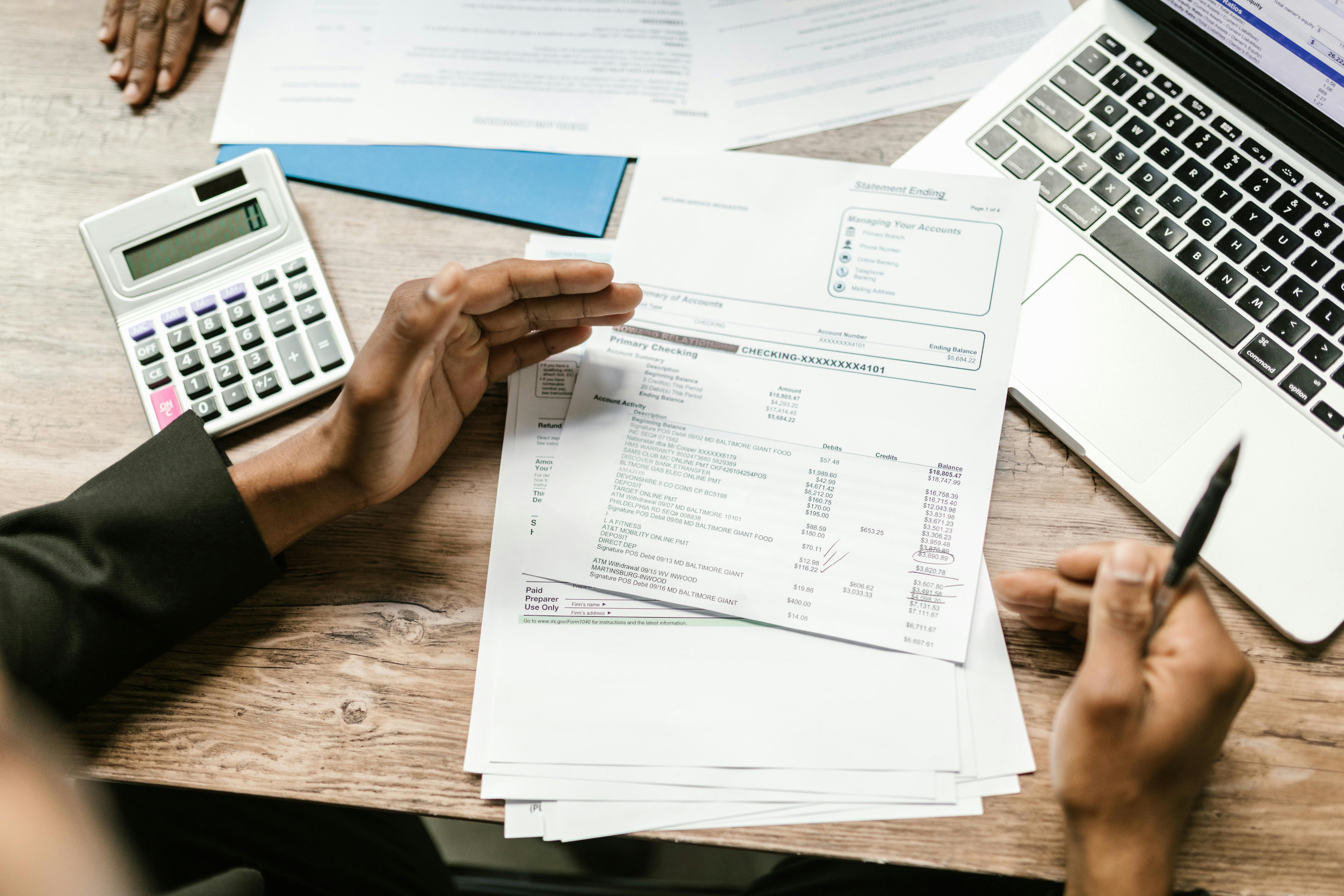
You finish reconciling the bank feed for your 12-person contracting firm in Ontario and notice the GST/HST refund you expected is much smaller than last quarter. A few supplier invoices with missing GST numbers, one partially claimed capital expense, and a late filing penalty have eaten into your cash flow. This is the reality of manual ITC tracking: missed credits, disallowed claims, and CRA letters. A proper understanding of input tax credits, and the right tools to manage them, can save your business thousands every year. This complete guide to GST/HST input tax credits in Canada walks through eligibility, claiming rules, common pitfalls, and practical automation strategies.
What Are Input Tax Credits and Why Do They Matter?
Input tax credits (ITCs) let registered businesses recover the GST/HST they pay on business expenses. When you buy goods or services from a GST/HST-registered supplier, the tax you pay becomes a credit against the GST/HST you collect from your customers. The difference between the tax you collect and the ITCs you claim is what you remit (or get refunded) to the Canada Revenue Agency.
ITCs matter because they directly affect your bottom line. If you fail to claim all eligible credits, you overpay the CRA. For a small business with $100,000 in taxable expenses, a missed ITC could mean giving up $5,000 to $13,000 in deductions (depending on the HST rate in your province). Over a year, that adds up.
Eligibility Requirements
To claim an ITC, you must meet several conditions:
- You are a GST/HST registrant (your business number starts with RT or RM).
- You have a valid invoice or receipt from the supplier showing their GST/HST registration number, the date, a brief description of the goods or services, and the amount of tax paid or payable.
- The expense is used primarily (more than 50%) in your commercial activities - supplying taxable goods or services. Expenses for exempt supplies (like health care, educational services, or residential rents) do not qualify for ITCs.
- You claim the ITC in the correct reporting period and file your return on time.
If you use a property or service partly for business and partly for personal use, you must apportion the ITC. For example, a vehicle used 60% for business and 40% personal means you claim ITC on 60% of the GST/HST paid.
Types of Expenses That Qualify
Most business expenses trigger ITCs, but some have specific rules:
- Capital property: You can claim ITCs on the full GST/HST paid on capital assets, such as equipment, vehicles, and buildings. However, if you sell the property later, you may have to repay part of the ITC under the capital property adjustment rules.
- Meals and entertainment: Only 50% of the GST/HST on business meals is eligible for ITCs (matching the income tax deduction limit).
- Club memberships and recreational fees: Generally, no ITC is available for dues or fees for clubs whose main purpose is dining, recreation, or sporting facilities.
- Passenger vehicles: There is a capital cost ceiling for luxury vehicles, and the ITC is limited to the GST/HST payable on that ceiling ($35,000 plus tax for most vehicles in 2024 - verify current limits with CRA).
Provincial Differences
The GST/HST is a harmonized sales tax in participating provinces (Ontario, New Brunswick, Nova Scotia, Newfoundland and Labrador, Prince Edward Island). In other provinces, the GST (5%) is separate from the provincial sales tax (PST or QST). ITC rules are the same for the federal part, but the provincial component of the HST is also recoverable as an ITC for registrants. In Quebec, Revenu Quebec administers the QST, and ITC-like rules apply for QST recovery. Businesses operating across provinces must track different rates and recovery rules.
How to Claim ITCs: Step-by-Step Process
Claiming ITCs is tied to your GST/HST return filing. Here are the key steps:
- Collect and organize invoices: Every invoice must show the supplier's GST/HST registration number. For purchases under $30, you do not need a full invoice, but a receipt with the supplier's name and the tax amount is sufficient.
- Determine the reporting period: Most small businesses file annually or quarterly. You must claim ITCs in the period the expense was incurred, not necessarily when you paid it.
- Calculate the net tax: Line 101 of the GST/HST return (form GST34) is total GST/HST collected. Line 106 is total ITCs claimed. The net difference is what you remit or receive.
- Use the quick method if eligible: The quick method simplifies ITC tracking for small businesses with annual taxable supplies up to $400,000. You remit a reduced percentage (e.g., 8.8% in Ontario) and cannot claim ITCs except for certain capital purchases. It reduces paperwork but may not maximize refunds if your expenses are high.
- File the return and pay on time: Returns are due within one month after the end of your reporting period. Late filing can result in penalties and interest, and you may lose the ability to claim ITCs from returns filed more than four years late.
Documentation Requirements
The CRA can ask for backup at any time. Keep the following for six years:
- Original invoices or receipts
- Contracts or agreements
- Purchase orders and packing slips
- Records of any apportionment calculations for mixed-use expenses
- If you use the quick method, records of sales and capital purchases separately
A common mistake is losing small receipts. A coffee for a client meeting, a parking fee, or a courier charge - each may be small individually, but they add up. Using a tool like Awditify's receipt OCR feature to capture and store these receipts digitally ensures you never lose a claim.
Common ITC Pitfalls and How to Avoid Them
1. Missing ITC Deadlines
You must claim ITCs within four years of the due date of the return for the reporting period in which the expense was incurred. For annual filers, the period is usually the fiscal year. If you miss this window, the ITC is lost forever.
Solution: Use accounting software that tracks expenses and applies ITCs automatically. Awditify's AI transaction categorization can flag expenses with GST/HST and remind you to claim them in the correct period.
2. Claiming ITCs on Exempt or Zero-Rated Supplies
Exempt supplies (e.g., residential rent, most health care) do not allow ITCs. Zero-rated supplies (e.g., basic groceries, prescription drugs) are taxable at 0% - you can still claim ITCs on expenses used to make zero-rated supplies, but you must track them separately.
Solution: Ensure your chart of accounts distinguishes between taxable, zero-rated, and exempt activities. Awditify's 70+ financial reports include segmented income and expense reports to help you track ITC eligibility by business line.
3. Not Apportioning Personal/Business Use Correctly
Using a vehicle or home office partly for business requires a reasonable apportionment method. The CRA accepts many methods, but they must be consistently applied. For vehicles, a logbook for at least 12 months can establish a benchmark.
Solution: Set up recurring journal entries for the business-use percentage. Awditify allows you to create repeating transactions for ITC apportionment, reducing manual adjustments.
4. Incorrectly Calculating the Capital Property Adjustment
When you sell capital property on which you claimed an ITC, you may need to repay a portion called a capital property adjustment. This can be complex.
Solution: Track capital purchases separately. Awditify's asset management module can hold ITC details and calculate adjustments at disposition.
5. Filing Late or Not Filing
If you file a GST/HST return late, you lose the ability to claim ITCs from that return if the four-year window passes. Also, late filing penalties are 1% of the amount owing plus 25% of the balance. Interest compounds daily.
Solution: Set up automated reminders. Awditify's sales tax feature includes a dashboard with upcoming deadlines and filing status.
Automating ITC Tracking: Manual vs. Automated Workflow
Consider two scenarios:
Manual workflow: You receive an invoice via email, print or save it manually, enter the amount and GST/HST into a spreadsheet or legacy desktop accounting software, then key the data into the GST/HST return by hand. At year-end, you spend hours hunting for missing receipts. One mistake - a wrong HST rate - and the CRA may disallow the entire batch.
Automated workflow with Awditify: An invoice arrives. You snap a photo with your phone, or email it to Awditify. The OCR reads the amounts, GST registration number, and date. The AI categorizes the expense and automatically maps it to the correct ITC line. At filing time, you have a summarized report of all ITCs for the period. The system sends a reminder before the filing deadline.
The table below summarizes key differences:
| Aspect | Manual Process | Automated with Awditify |
|---|---|---|
| Receipt capture | Paper filing or manual scanning | Mobile app or email OCR |
| Data entry | Manual keying of tax amounts | Auto-extracted from receipts |
| ITC eligibility check | Rely on memory or paper notes | AI flags ineligible expenses |
| Apportionment tracking | By hand using spreadsheets | Template-based journal entries |
| Filing preparation | Recalculate totals each period | Real-time ITC summary report |
| Audit readiness | Archive physical receipts | Digital trail with search |
Awditify's integration with CRA business accounts further streamlines filing. You can export the net tax directly from the software, reducing transcription errors.
Special Considerations for Different Business Types
Small Business Owners
For sole proprietors and partnerships, the key is to keep business and personal expenses separate. Use a dedicated business bank account and credit card to simplify ITC tracking. If you use a shared vehicle, maintain a mileage log. Awditify's bank feeds automatically import transactions from your business accounts, categorizing GST/HST amounts where applicable.
Accounting Firms
Accountants managing multiple clients need to track ITC summaries across different fiscal years and filing frequencies. Awditify's practice management dashboard lets you see all client GST/HST filings in one place, with status flags for missing invoices or potential missed ITCs. The document management for Canadian accounting firms blog covers how centralizing client documents improves audit readiness.
Municipalities
Municipalities have unique GST/HST rules. Most municipal services like public transit, water, and garbage collection are GST/HST-exempt, meaning municipalities cannot claim ITCs on expenses related to those services. However, municipalities that engage in commercial activities (e.g., selling land or operating parking lots) can claim ITCs on related expenses. The Awditify for Municipalities page explains how to handle these complex partial exemptions.
Frequently Asked Questions
What is the deadline to claim an input tax credit in Canada?
You generally have four years from the due date of the GST/HST return for the period in which the expense was incurred. For example, if you incurred an expense in your fiscal year ending December 31, 2024, and you file annually, your return is due March 31, 2025. You must claim the ITC by March 31, 2029. If you miss this window, the ITC is permanently lost.
Can I claim an ITC on a vehicle purchase?
Yes, but with limits. The GST/HST on the purchase of a passenger vehicle is eligible for an ITC only up to a maximum capital cost (currently $35,000 for vehicles acquired in 2024 - verify with CRA as limits may change annually). The ITC is calculated on the tax payable on that ceiling. For example, in Ontario (13% HST), the maximum ITC would be 13% of $35,000 = $4,550. Any excess tax paid on the amount above $35,000 is not recoverable.
What documentation do I need to support an ITC claim?
You need a valid invoice or receipt from a GST/HST-registered supplier showing their registration number, the date, a description of the goods or services, and the amount of GST/HST paid or payable. For purchases under $30 (tax-inclusive), a simpler receipt is sufficient. Keep all supporting documents for six years in case of a CRA audit.
How does Awditify help with GST/HST input tax credits?
Awditify automates ITC tracking from receipt capture to filing. Its OCR technology reads tax amounts from invoices, AI categorizes expenses and flags eligibility issues, and the sales tax module tracks ITCs by period. You can generate an ITC summary report at any time and export data directly to your GST/HST return. The How to Use Sales Tax guide walks through the full workflow.
Is the quick method of accounting for GST/HST better for ITCs?
The quick method can simplify administration but often results in lower ITC recovery because you cannot claim most ITCs. It is best for businesses with low expenses relative to sales. For example, a consulting firm with high expenses but low margins would usually benefit from the regular method. The quick method is available only if your annual taxable supplies (including GST/HST) are $400,000 or less. You must also meet other eligibility criteria.
What to Do Next
Understanding GST/HST input tax credits is one thing; consistently claiming every dollar you are entitled to is another. Start by auditing your last year's expenses: pull invoices for every business purchase, check for missing GST registration numbers, and verify that you claimed ITCs correctly. Then consider whether manual tracking or a dedicated software solution suits your volume. For businesses with dozens of transactions each month, automation pays for itself in recovered credits and avoids CRA penalties. Awditify offers a free trial on its small business plan so you can test how bank feed integration, receipt OCR, and real-time ITC reports fit your workflow. No more missed credits.


Discussion
Comments