
Citizen portal
A citizen portal on your own domain
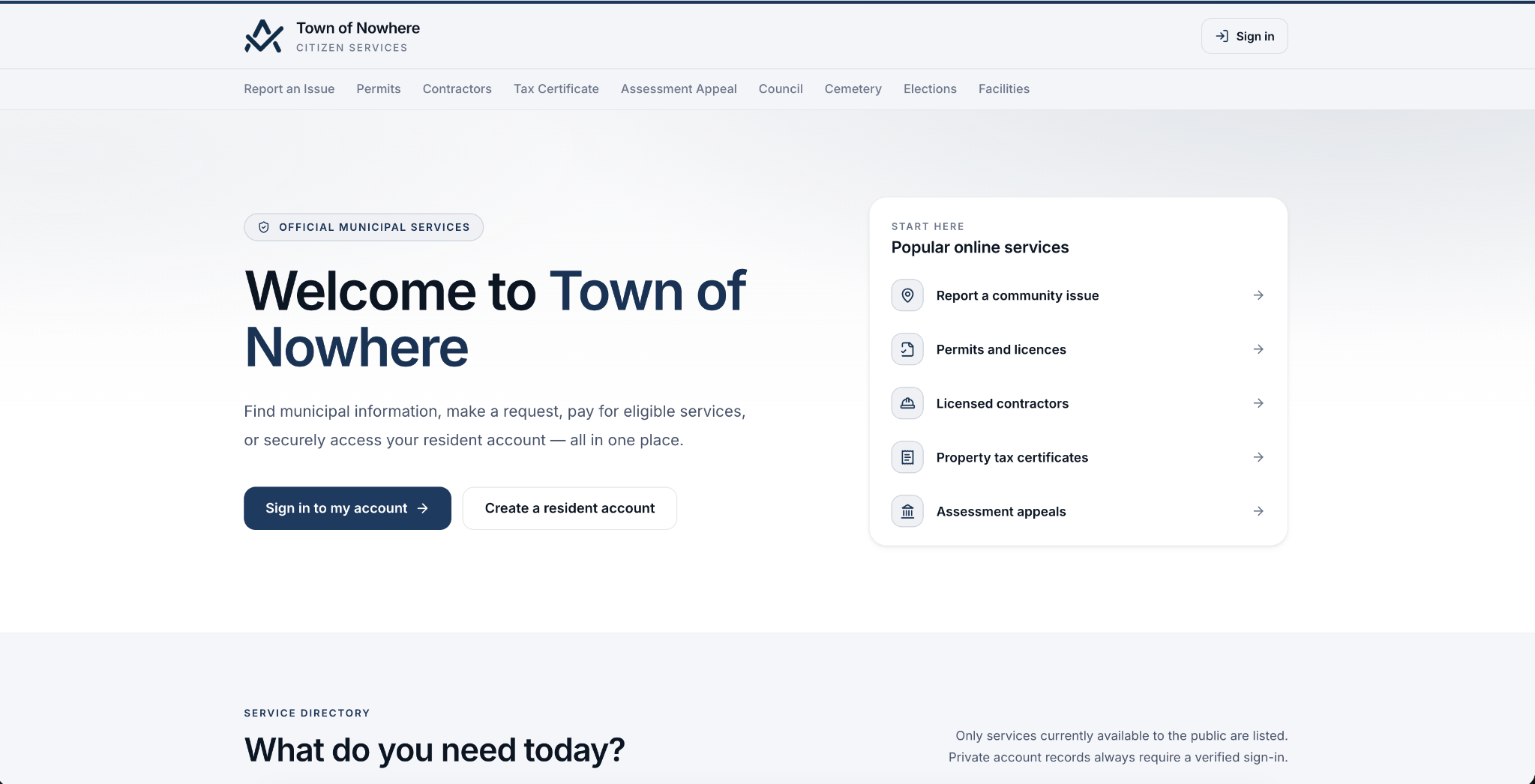
A public website for residents on the municipality’s own domain, branded to the municipality, where every one of the twelve public pages is individually publishable and every one defaults to off.
- 19 public pages
- 12 publish flags, all off by default
- Your own domain with verification and TLS
Why it matters
Take the counter queue online, one service at a time
Residents check a balance, download a notice, pay a bill, file an appeal, report a pothole and read the minutes at eleven at night. Your staff stop answering the same four phone calls, and nothing is public until you publish it.
19
Public citizen-facing pages
12
Publish flags, off until you enable them
6
Staff administration tabs
5
Payable record types online
-
Your domain, your branding
Run it on portal.yourtown.ca with a verification token, TLS status and nightly re-verification, or on a path slug if you would rather not manage a domain.
-
Payments without the phone call
Tax notices, arrears, utility bills, certificate fees and permit fees online, plus paperless billing, pre-authorized debit and a nightly autopay run.
-
Verified links staff control
Residents link an account with an account number plus an access code. Staff see every link in the citizen directory and can edit or revoke it.
-
Twelve switches, all off
Every public page defaults to unpublished, so you launch exactly the services your back office is ready to support and add the rest later.
How it works
What the module covers
-
Accounts
Linking a resident to their own records, safely
-
Payments
The reason most residents visit
-
Self-service
Things residents can start without you
-
Administration
Branding, domain and what stays private
Accounts
Linking a resident to their own records, safely
A resident account is only useful once it is tied to a municipal record, and that link has to be something staff can see and revoke.
Account basics. Register, email verification, login, forgot and reset password, and a profile page.
Linking a municipal record. A resident links a property tax account or a utility account with an account number plus an access code, producing a verified link. Staff see the link in the citizen directory and can edit or revoke it.
Privacy controls the resident holds. A data export covering everything the portal holds about them, and self-service account deletion with password confirmation.
Staff directory. Filter citizens by all, active, disabled, verified, unverified or locked, search by name, email or phone, and manage per-record delivery email and pre-authorized debit cancellation.
Access codes. The portal access code used for account linking can be regenerated at any time.
Also included
- Email verification
- Verified links
- Revoke a link
- Data export
- Account deletion
Payments
The reason most residents visit
The reason most residents visit: what they owe, what they were billed, and how to pay it without phoning the office.
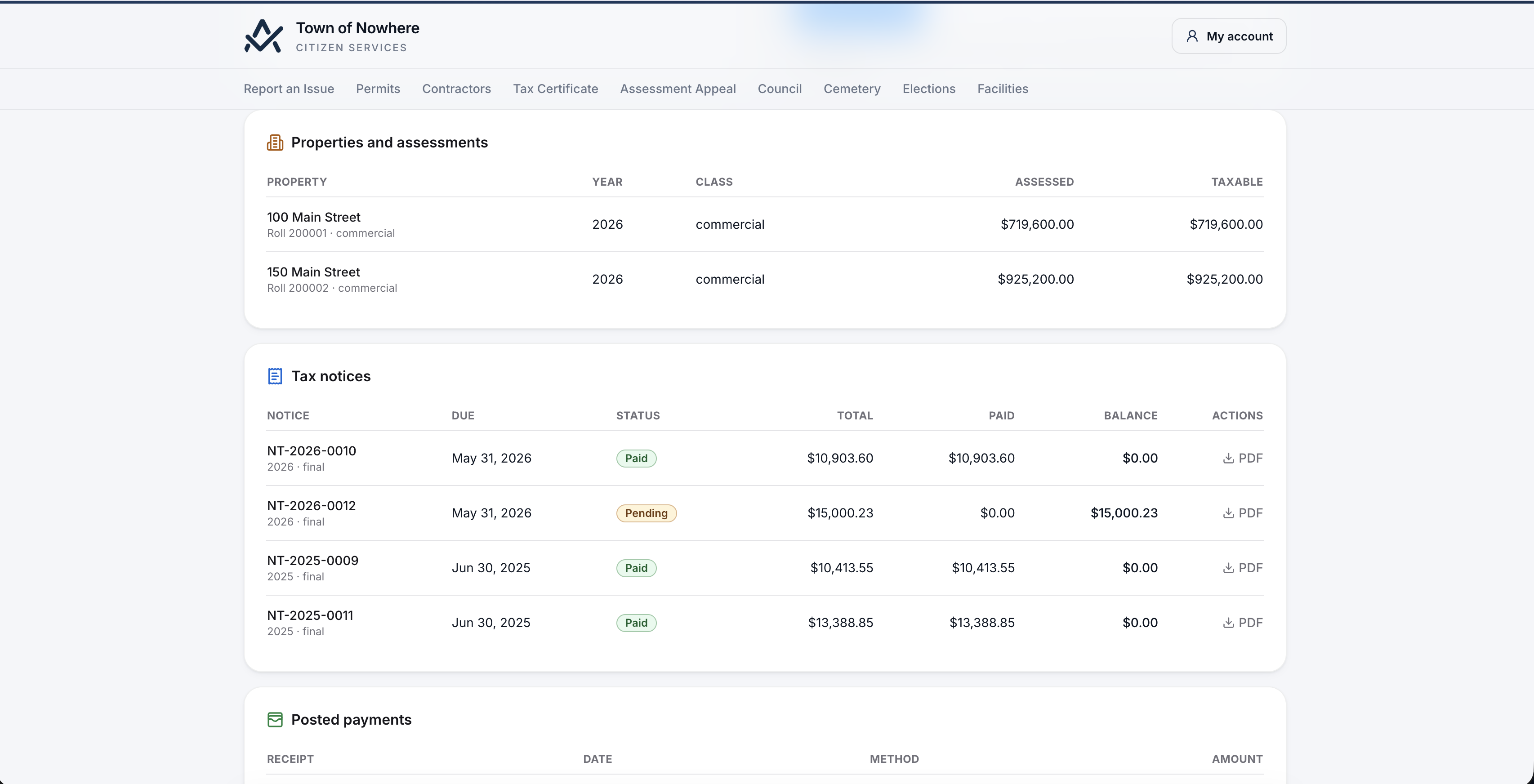
Property taxes. Linked-property picker, latest assessed value, class and taxable value, current notice balance, notice list with amounts and status, notice PDF download, pay online, receipts and payment history.
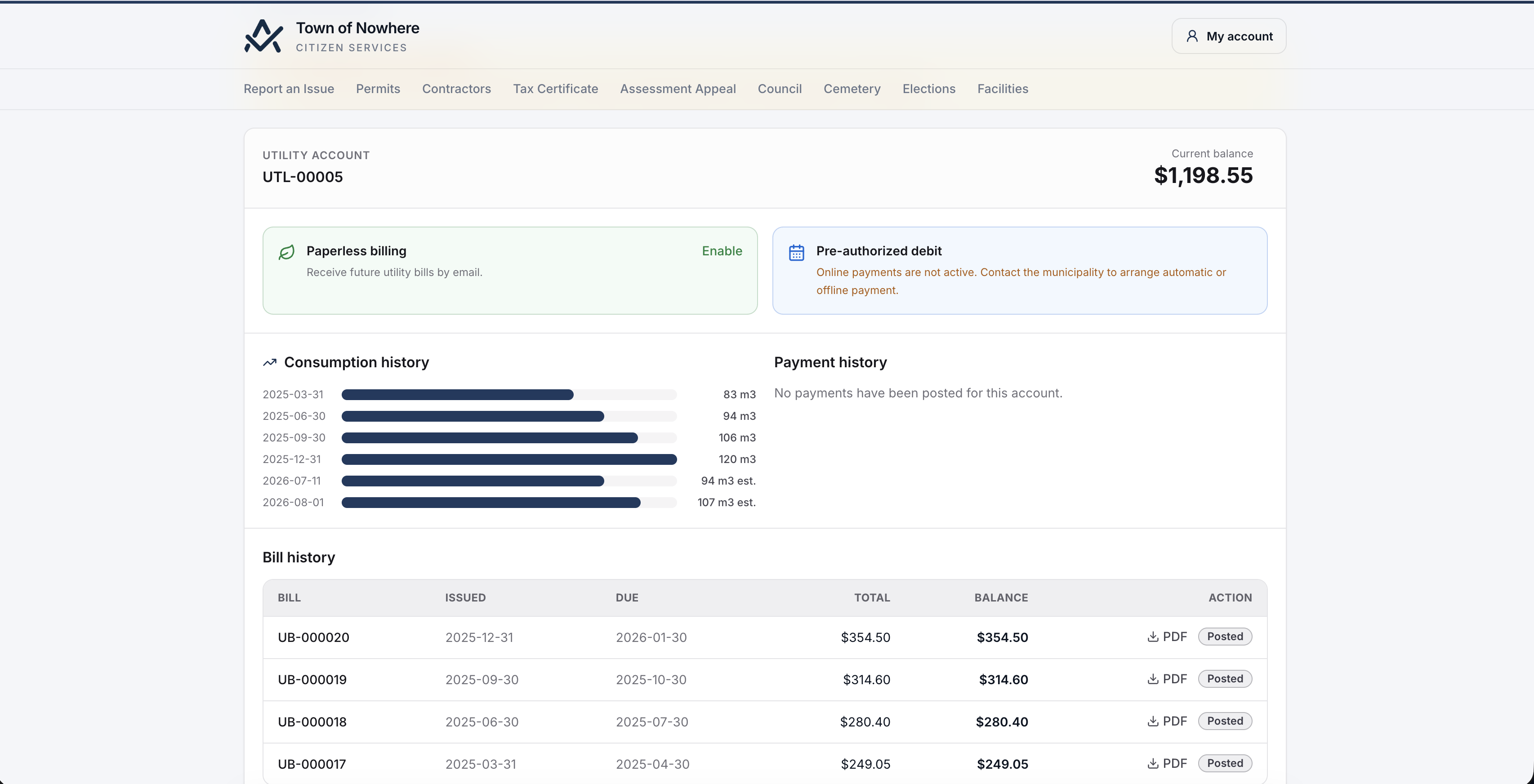
Utilities and billing. Linked utility account, current balance and overdue amount, bill history with PDF download, payment history, a consumption history chart built from posted meter readings, and online bill payment.
Paperless and pre-authorized debit. E-billing opt-in for both tax notices and utility bills, plus pre-authorized debit set-up and cancellation where the municipality enables it, with a nightly autopay run charging enrolled accounts.
Payment plan requests. A resident requests a plan with instalments, a first payment and a note to the reviewer, which lands with staff for review rather than being granted automatically.
Signed public pay links. Staff can generate a signed pay link for a single notice, arrear or bill and send it directly, so a recipient can pay without creating an account at all.
Phone and IVR. A credentialed public balance API returns an account or roll-number balance to an external IVR or phone-pay provider, so pay-by-phone runs against the same live balances.
Also included
- Tax notices
- Tax arrears
- Utility bills
- Tax certificates
- Permit fees
Self-service
Things residents can start without you
Certificates, appeals, 311 reports, permit applications, bookings and registrations, each one landing in the right staff queue.
Tax certificates. Lawyer and title-company self-service. Identify the property by roll number or civic address, supply name, phone, purpose and a verified delivery email, choose the certificate type, pay the fee online and receive a short-lived signed secure download link. The property balance is never exposed before issuance, and signed-in requesters see a certificate history.
Assessment appeals. File against assessed value, classification or an exemption with the value the citizen believes correct, grounds, name and verified email, receive an appeal number, and follow a track-an-appeal page through filed, hearing and decision. The filing window comes from the property tax settings.
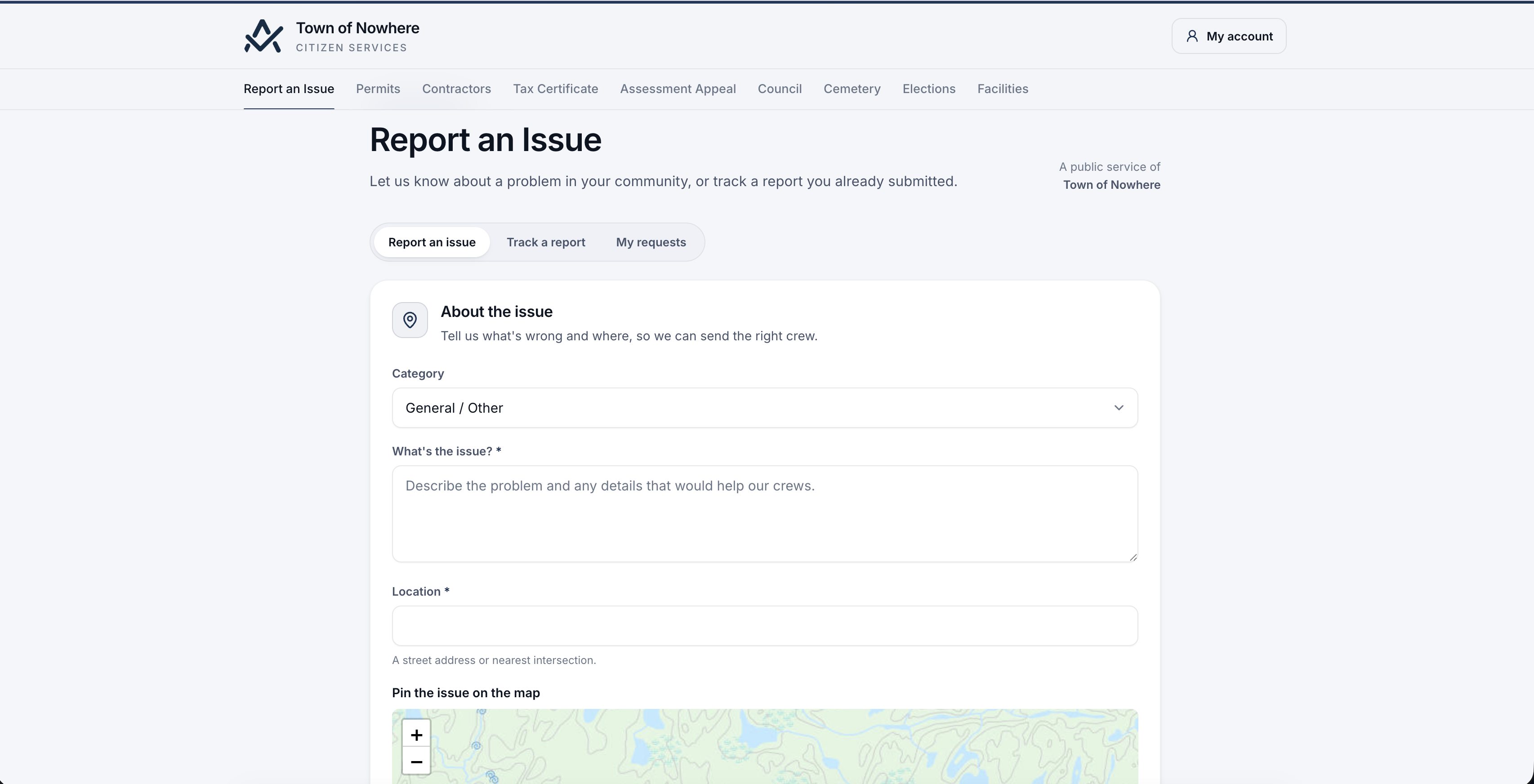
Report an issue. Anonymous 311 intake, bot-protected. Choose a category, describe the issue, pin the location on the map, upload a photo and optionally leave contact details. Nearby duplicate reports are offered before submitting, and submission returns a tracking number plus a private tracking token shown once.
Permits and licences. Public permit lookup by application number with a public status view, online applications across the permit categories with the category-specific fields, licence renewal for verified account holders, and online payment for applications and renewals.
Recreation and bookings. The published program catalogue with availability and deadlines, online registration and waitlist joining for signed-in residents, a facility list with amenities and accessibility features, and an availability calendar with online booking requests for verified accounts.
Cemetery, governance and results. Interment search by name and year of death, published meetings with agendas, minutes, bylaw and resolution search, committee rosters, live meeting view and e-comments, and the published election results board with a clear unofficial or certified marker.
Also included
- Bot protection
- One-time tracking token
- Signed download links
- Verified delivery email
- Public status views
Administration
Branding, domain and what stays private
Six administration tabs decide what the portal looks like, where it lives, and what it exposes.
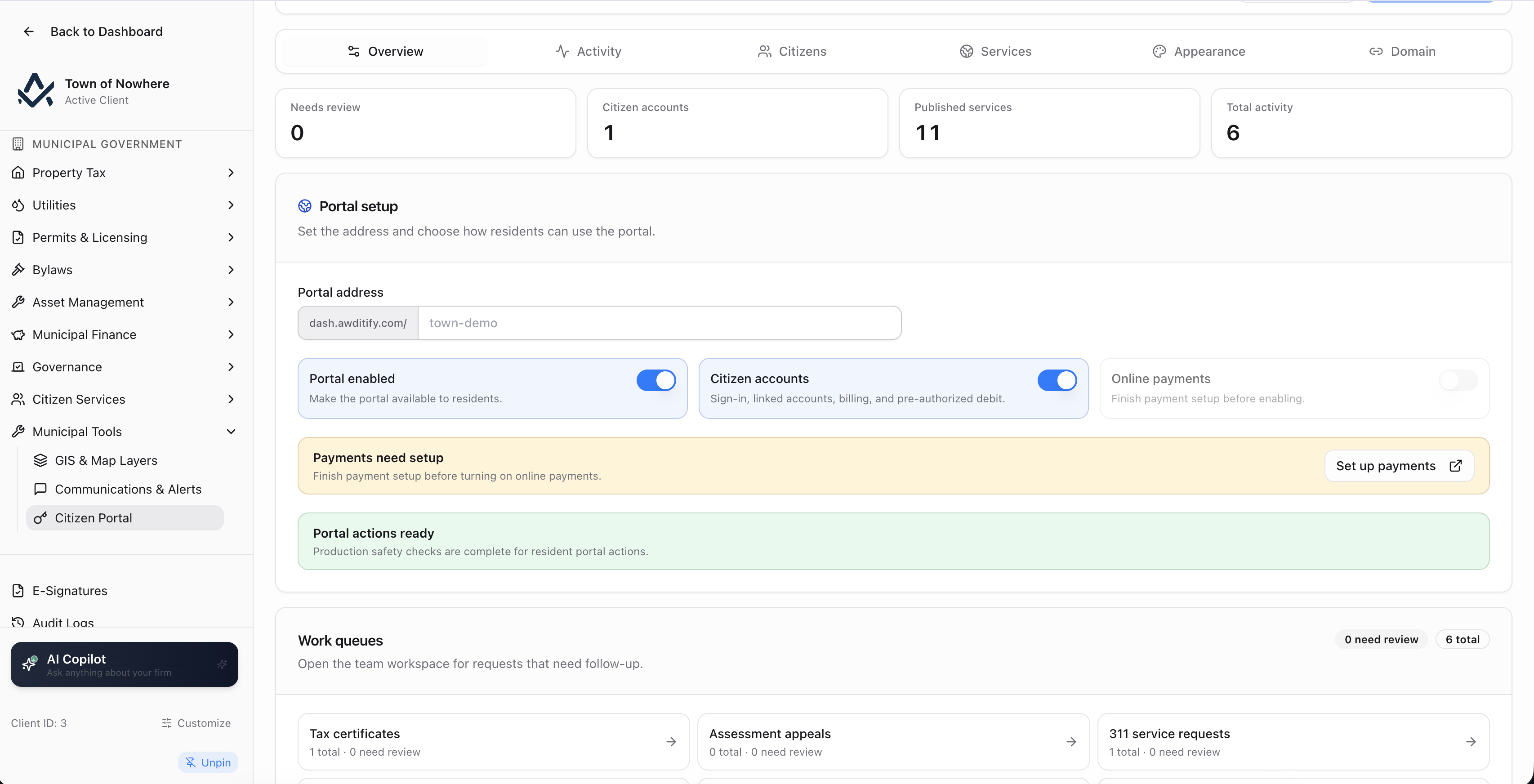
Overview. The portal enable switch, citizen accounts on or off, online payments on or off, and work queues showing exactly what needs staff attention, mirrored as a badge on the sidebar.
Portal services. The twelve publish flags: tax certificates, assessment appeals, service requests, governance, cemetery plot search, election results, recreation programs, booking calendar, permit lookup, permit applications, contractors and bylaw registry. Each defaults to off.
Appearance. Colours, a welcome message, a contact line, footer text and a contact link label and URL.
Domain. A portal slug for path-mode hosting, or a custom domain such as portal.townofx.ca with a verification token, a verify action, TLS status and a switch to redirect the slug to the domain. Domains are re-verified nightly.
Activity. A searchable public activity log filtered by accounts and links, requests and comments, permits and licences, or payments and pre-authorized debit.
Machine seams. The public balance API credential for IVR and phone-pay, with a rotate action, alongside portal access code regeneration.
Also included
- CNAME plus verification
- TLS status
- Nightly re-verification
- Work queues
- Activity log
Yes. Point a CNAME at the platform, add the custom domain in the portal settings, and verify it with the supplied token. TLS status is shown in the same panel, domains are re-verified nightly, and you can redirect the path slug to the domain so there is only one public address. Path-mode hosting on a slug is available if you would rather not manage a domain.
No. Anonymous 311 reports, public permit lookup, bylaw and resolution search, published meetings, cemetery interment search, election results and the contractor directory all work without an account. Accounts are required for anything carrying a private balance, and signed public pay links let staff send a payable item to someone who has no account at all.
Linking requires both the account number and a portal access code that the municipality issues, and the resulting link is visible to staff in the citizen directory where it can be edited or revoked. The access code itself can be regenerated at any time.
Tax notices, tax arrears, utility bills, tax certificate fees and permit fees, through the platform’s Stripe integration. Pre-authorized debit enrolment is available where the municipality enables it, with a nightly autopay run charging enrolled accounts, and staff can generate signed public pay links for a single notice, arrear or bill.
That is the intended path. The portal is off until you enable it, and all twelve public pages default to unpublished. Many municipalities start with tax and utility balances plus online payment, then add 311, permits, governance and recreation as the back office is ready for the volume.