
Utility billing software for water, sewer and waste
Metered and unmetered billing for water, sewer, waste, stormwater, gas and electric, run as a GL-integrated sub-ledger with its own receivables, security deposits, arrears and the statutory path onto the property tax roll.
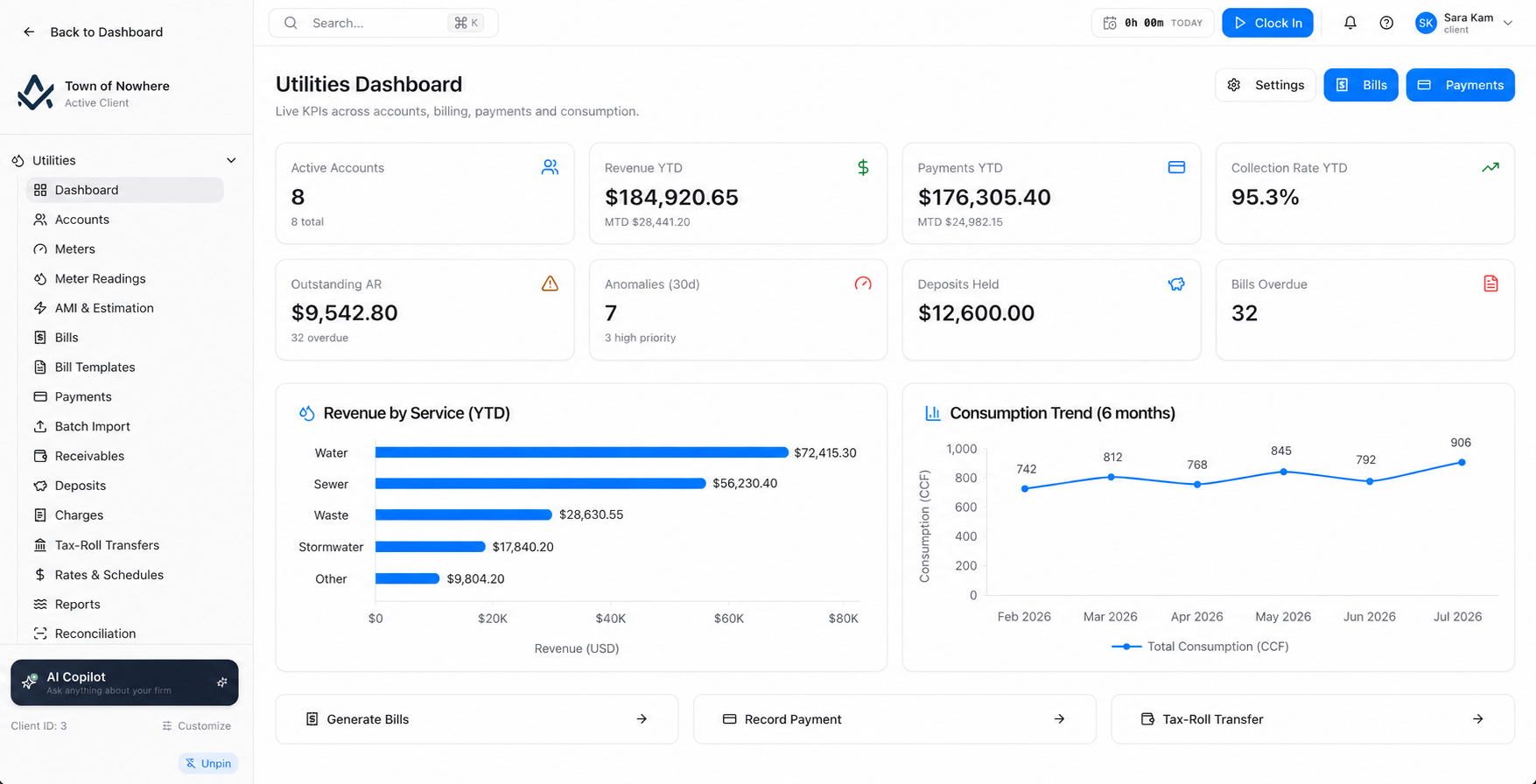
Active accounts, outstanding AR, collection rate, deposits held and AMI anomalies in the last thirty days.
From meter read to money in the bank
Import the reads, catch the bad ones before they bill, preview the run, generate and post. Unpaid accounts follow the statutory route onto the property tax roll instead of becoming a spring project nobody wants.
19
Screens across the module
13
Rate types including tiers and levies
6
Read types from actual to AMR
9
Built-in utility reports
Bill runs with a safety net
Batches above a threshold you set park for approval before they go out. Batch posting has its own pre-flight showing count, total and approval status.
Rates that match your bylaw
Thirteen rate types covering tiers, base charges, percent of water, stormwater area, infrastructure levies and seasonal multipliers, with effective dating.
Bad reads never reach a bill
Anomalous readings route into a pre-billing queue to be approved, corrected with a documented reason, or voided. A readiness summary runs before the batch.
Arrears onto the tax roll
Filter eligible accounts by days overdue, preview the transfer, post it to the roll, and reverse it with a reason if something changes.
One account, every service, one file
One account holds many services, each service can hold a meter, and the account file shows the whole picture in eight tabs.
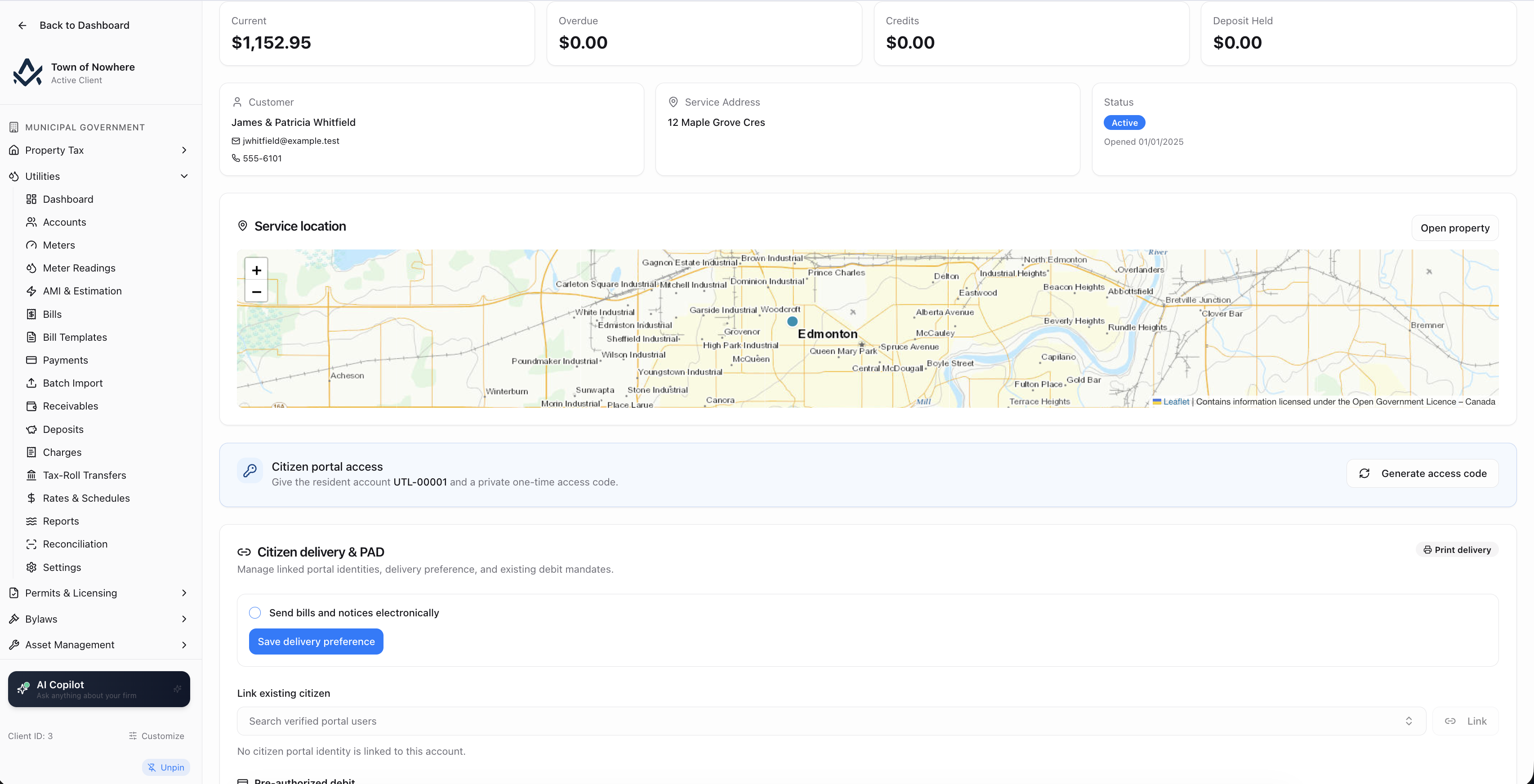
The eight-tab account file, with the running ledger on the last tab.
Accounts. Optional links to a property owner and property unit with service address auto-fill, customer name, email, phone and a status of active, suspended, disconnected, closed or pending. The list shows current, overdue, credit and deposit balances per account.
Services on the account. Each carries a service type of water, sewer, waste or stormwater, a rate class of residential, commercial, industrial, multi-unit, institutional, unmetered or other, a rate schedule and its own status.
Eight-tab account file. Services, bills, payments, charges, deposits, credits, arrears and the full transaction ledger, with deposits recorded and released from the same place.
Meters that compute correctly. Meter number, serial, make, model, size, unit of measure, multiplier and digit count, so rollovers and multiplier-scaled meters produce the right consumption rather than a wild reading.
Reads and routes. Reading types of actual, estimated, customer, AMR, final and initial, consumption derived with rollover-aware maths, a two-step import wizard with a downloadable template and per-row validation preview, and meter reading routes that group meters into walk lists.
Also included
Run the cycle with a preview and an approval gate
Rate schedules describe how a service is charged. Bill runs turn reads into bills, with an approval gate for anything large.
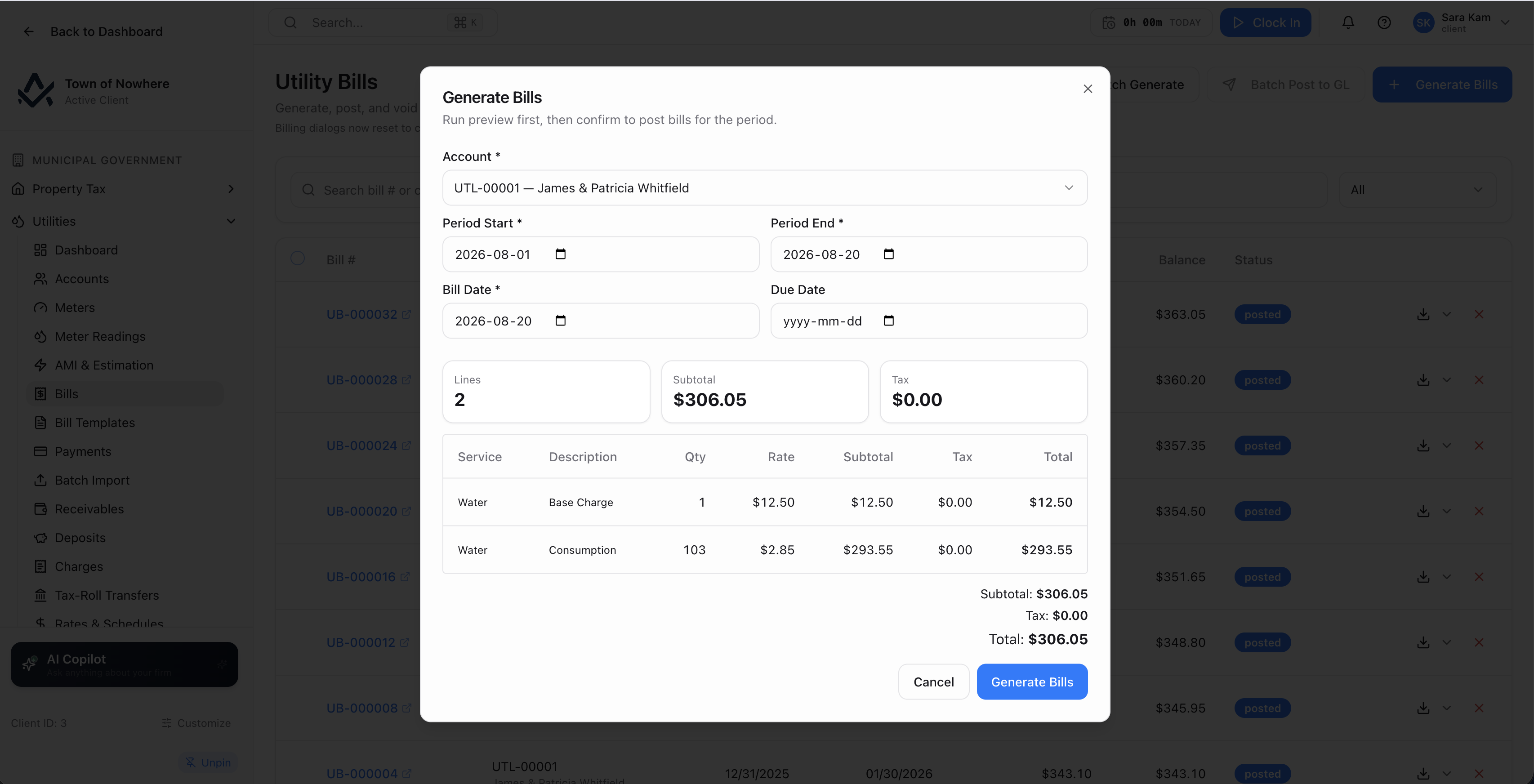
The batch preview. Anything above the approval threshold parks for sign-off.
Thirteen rate types. Base charge, flat, tier, per unit, percent of water, minimum charge, seasonal multiplier, infrastructure levy, stormwater area, connection fee, reconnection fee, late fee and miscellaneous. Units cover month, cubic metre, one time, percent and square metre.
Tiered rates done properly. Each tier carries a minimum, a maximum and a display order, with effective and end dates and a taxable flag, all grouped under a named rate schedule tied to a service and rate class.
Single-account generation. Choose the account, period start and end, bill date and due date, and see a live line preview showing service, description, quantity, rate, subtotal, tax and total before you commit.
Batch generation with a gate. Run across all active accounts or by service type, queued as a batch with a preview. Batches above a configurable approval threshold land in pending approval and require an explicit approve step. Below it they queue directly. Batches can be cancelled.
Batch posting with a pre-flight. Post eligible draft bills to the GL after a preview showing count, total and whether approval is required. Per bill you can post, void with reason, email the customer and download the branded PDF, and the bill detail shows lines, payments applied, credits applied and the GL entry itself.
Also included
Let the head-end file do the data entry
For municipalities running AMI or AMR, the head-end file becomes a validated read, and a bad read never reaches a bill.
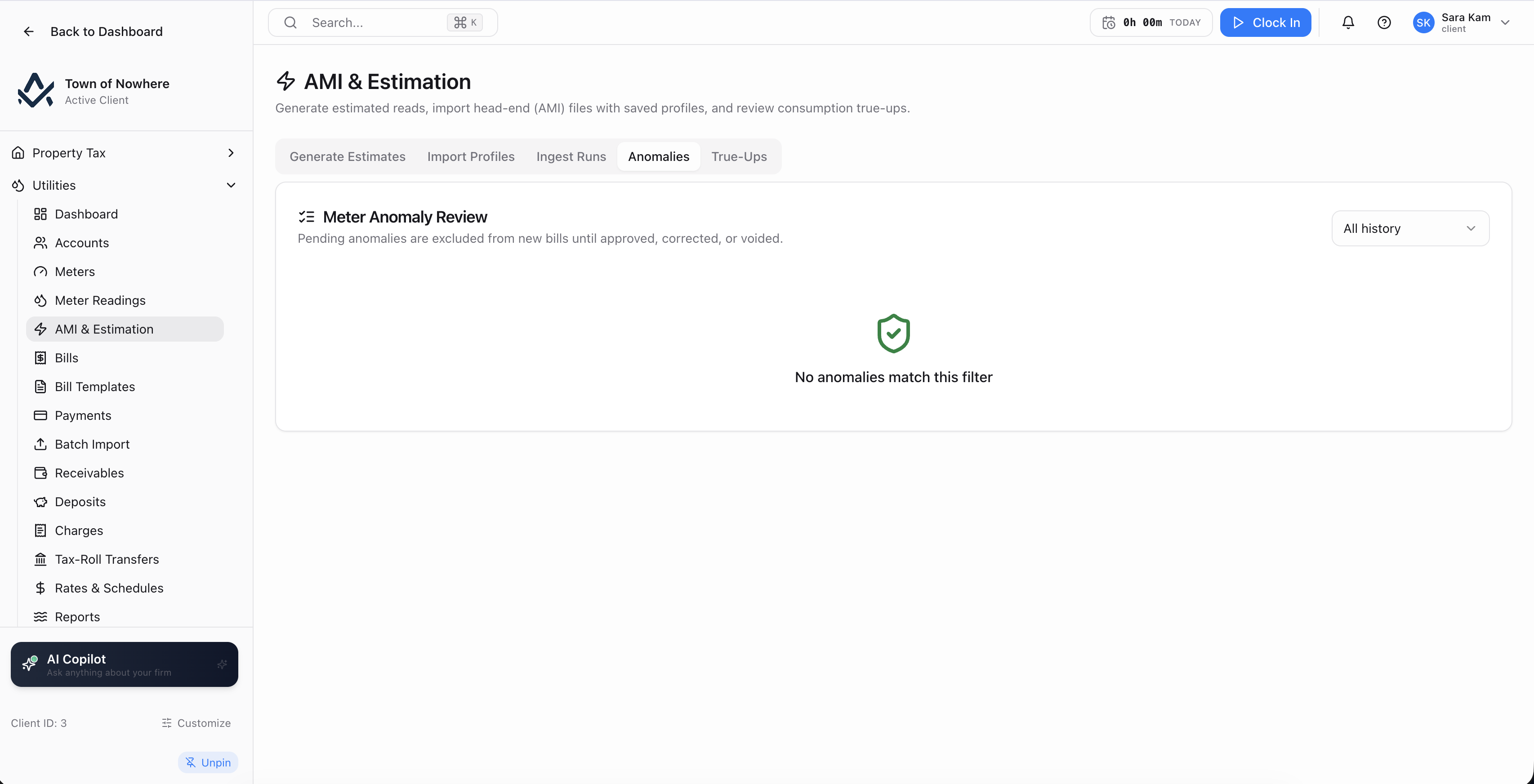
Anomalous reads are approved, corrected with a reason, or voided before billing runs.
Import profiles. Named head-end mappings with service type, meter-number, read-date, current-reading and source-ref column names, a read-type column, a unit multiplier, a default read type, a date format and an active flag.
SFTP pull, not manual upload. Each profile can carry host, port, username, password or private key, a required host fingerprint, remote path, file pattern, post-import action including archive, and an archive path, with a test-connection action, an on-demand pull and a nightly automated pull.
Estimation with a method order. The engine works down a configurable order of same period last year, then a trailing average over a configurable number of cycles, then a default consumption value, enforcing a maximum number of consecutive estimates with configurable rounding.
The anomaly queue. A pre-billing exception list where an anomalous reading is approved, corrected with a required corrected reading and a documented reason, or voided. A billing-summary endpoint reports readiness before the run.
True-ups. The estimated versus actual reconciliation showing estimated, actual, delta, the bill it was applied to and when, plus ingest runs logging every operation with counts and a per-row log.
Direct push. A credential-authenticated ingestion endpoint lets a head-end system push reads directly, with a rotatable API key.
Also included
Deposits, arrears and the route onto the tax roll
The collection side, ending with the statutory transfer of unpaid utility arrears onto the property tax roll.
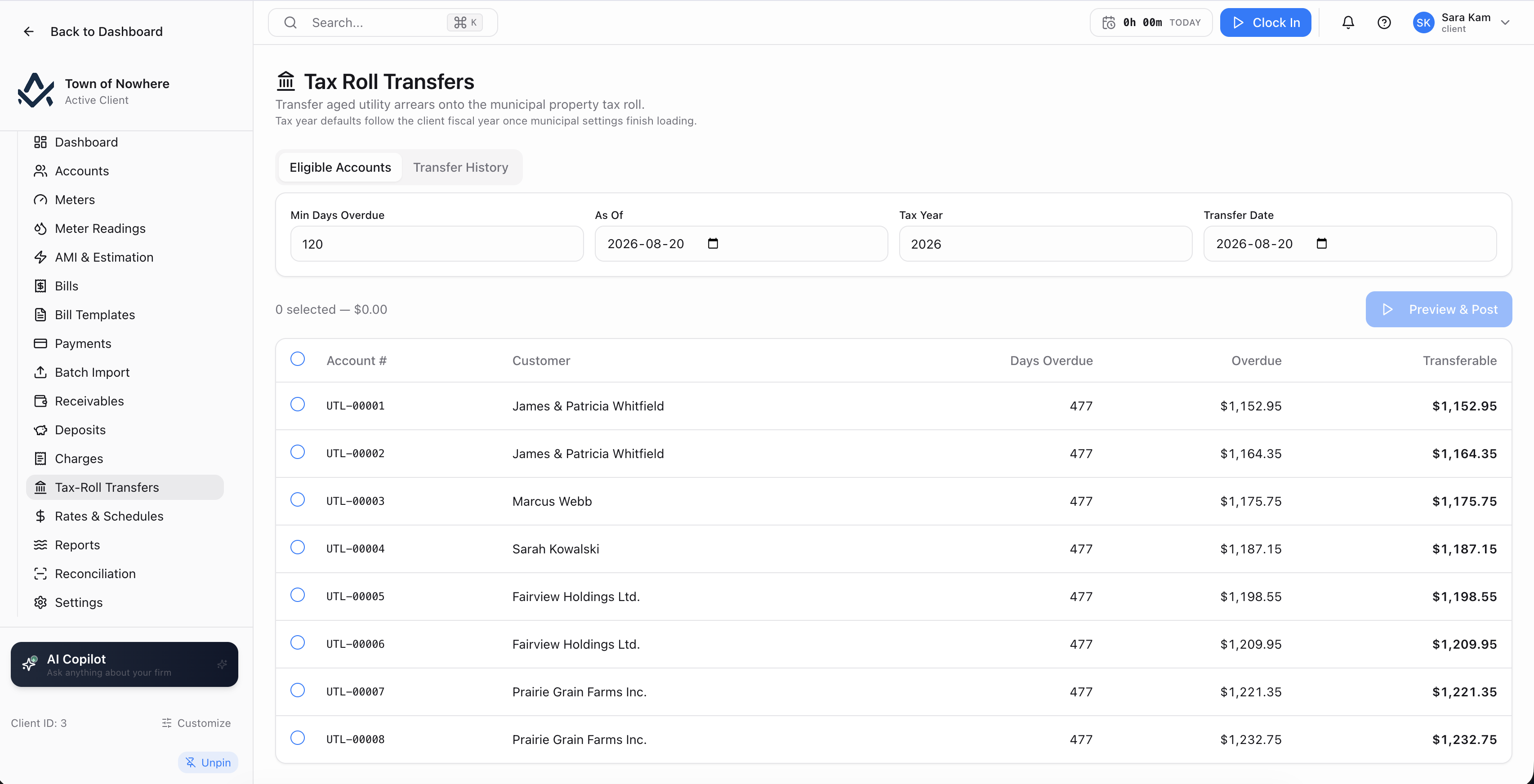
Eligible accounts on the left, transfer history on the right, with a preview before posting.
Payments. Eight methods including cash, cheque, EFT and e-transfer, credit card, debit, online and money order. Void with a reason such as an NSF cheque. Allocation is configurable as waterfall covering current then penalties then oldest, or oldest first, or newest first.
Security deposits. A deposit ledger with held, partial, released and applied statuses. Release in one of three modes, refund to the customer, apply to the outstanding balance, or forfeit, each with a release date and reason. Deposits post to a liability account.
Charges and adjustments. Penalty, interest, late fee, reconnection fee, leak adjustment, senior discount, billing correction, write-off and miscellaneous, voidable with a reason. Penalty and interest can also generate automatically from the settings penalty rate, grace period and interest rate.
Receivables with aging. As at any date, with buckets of current, 1 to 30, 31 to 60, 61 to 90 and 91 plus, showing bills, charges, arrears, credits and net per account, backed by a per-account view and an aging report.
Tax-roll transfer. Eligible accounts filtered by minimum days overdue and an as-at date, showing days overdue, overdue amount and transferable amount. Preview, then post. A posted transfer can be reversed with a reason, and auto-transfer after a configurable number of days is available in settings.
Sub-ledger reconciliation. Compare cached balance against ledger net per account, with a fix-balances action that recomputes and corrects, showing old and corrected values.
Also included
Utility billing questions
Yes. An account holds one or more services, and each service has its own service type, rate class, rate schedule and status. A single bill covers every active service on the account, with a line per service.
Anomalous readings are routed into a pre-billing exception queue rather than flowing straight through. Each one is approved, corrected with a required corrected reading and a documented correction reason, or voided. A billing summary reports readiness before the bill run starts.
Yes, where the citizen portal is enabled. A linked utility account shows the current balance and overdue amount, bill history with PDF download, payment history and a consumption history chart built from posted meter readings, alongside online payment, paperless billing and pre-authorized debit.
A configurable approval threshold. A batch above the threshold lands in pending approval and requires an explicit approve step before it proceeds. Below the threshold it queues directly. Any batch can be cancelled, and batch posting to the GL has its own pre-flight preview showing count, total and whether approval is required.
Yes. Unmetered is one of the rate classes, and the rate types include base charge, flat, minimum charge, infrastructure levy and stormwater area, none of which depend on a meter reading.
The rest of the platform
Every module posts to the same ledger, so these are not integrations. They are the same system.
Property tax
Property Tax
Assessment roll, mill rates, notices, collections, arrears, penalty rules, tax sales and certificates.
ExploreCitizen portal
Citizen Portal
A white-label public site on your own domain for balances, payments, applications, 311 and council information.
ExploreMunicipal finance
Municipal Finance
Fund accounting, PS 3410 grant tracking and thirteen PSAB statements generated from live ledger data.
ExploreCitizen services
Citizen Services
Service requests that become work orders, recreation registration, facility bookings and cemetery records.
ExploreGIS & mapping
GIS & Mapping
Your own base map, GeoJSON layer import, parcel matching and maps inside every module that needs one.
ExploreBring a rate schedule and a meter file
We will build the schedule, load the reads, run the bills and show the journal entries, using your own rates rather than a sample town.